

A countdown timer is one of the simplest things you can add to a Shopify store before Black Friday on Friday 27 November 2026. It only makes sense when the deadline is real: the offer ends when the clock says it does, and it does not quietly return a few days later. Cyber Monday follows on Monday 30 November 2026, so you may need two separate deadlines in four days.

This guide covers Shopify stores, and most of the ideas apply on any ecommerce platform. One note on prices: most of these apps charge in US dollars, and every Shopify App Store listing below says “All charges are billed in USD”. Prices checked 28 October 2026 and may change.
What to look for in a Black Friday countdown app
The best fit for a Black Friday sale is a Shopify countdown timer app that can schedule timers. Look for automatic start and end scheduling in your store’s time zone, placement in the announcement bar and on product pages, targeting by page or market, and a price that suits a short campaign. Flair is a Shopify app that adds scheduled countdown timers for sales such as Black Friday to announcement bars, sale banners and product pages; countdown timers and scheduling are on its Boost plan at $49 a month.
1. A sitewide Black Friday countdown in your announcement bar
Set your announcement bar to show on every page and one Black Friday countdown there is visible wherever a visitor lands. Use it once the sale is live, counting down to your offer’s real end time. Keep the wording short, such as “Black Friday sale ends in”, and link the bar to your sale collection.
Apps that do this:
-
Hextom: Countdown Timer Bar has a free plan with an event-based timer, page and device targeting, and a link on the bar.
-
Quicky Announcement Bars includes countdown timer bars on its free plan (one active bar), with unlimited bars on Basic at $4.99 a month.
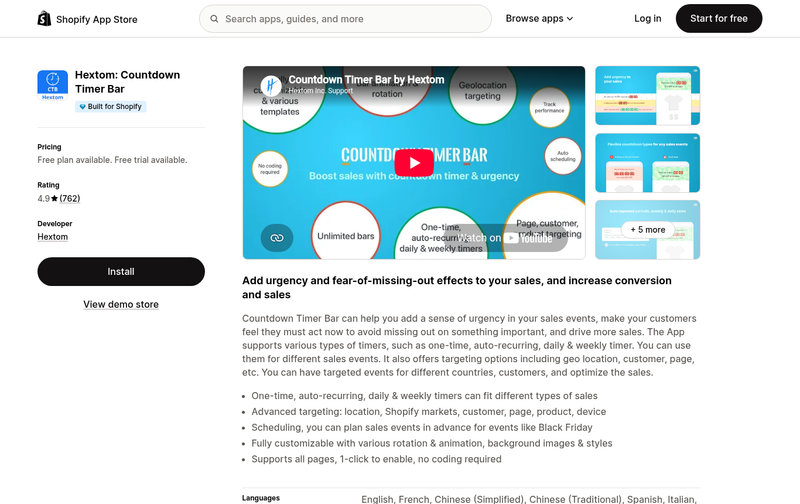
Hextom: Countdown Timer Bar on the Shopify App Store. Source: screenshot of https://apps.shopify.com/event-promotion-bar, 28 October 2026.
2. A “sale starts in” countdown before launch
A teaser countdown runs before the sale opens and counts down to the start time. Run it in the days before Black Friday, especially if your sale opens at a set hour. Schedule the teaser to hide at launch and your end-of-sale timer to appear at the same moment, so nothing needs changing by hand.
Apps that do this:
-
Essential Countdown Timer Bar has scheduled timers on its Starter plan at $6.99 a month; its free plan covers unlimited top bar timers.
-
Hextom: Countdown Timer Bar can schedule a timer to display at a specific time, with auto scheduling on Premium at $9.99 a month or $99 a year.
-
Flair: exact start and end times for countdowns, with time-zone-aware scheduling, on the Boost plan at $49 a month.
3. Early access countdowns for subscribers or VIP customers
Early access gives subscribers or VIP customers a head start, and a countdown shown only to them makes their window clear. Use it in the day or two before Black Friday, then open the public sale exactly when you said you would. If your app targets by customer tag, tag your VIP list in Shopify first, then test the timer while logged in as a tagged customer and again as a guest.
Apps that do this:
-
Hextom: Countdown Timer Bar lists customer targeting among its Premium features, at $9.99 a month or $99 a year.
-
Quicky Announcement Bars offers audience targeting on its Premium plan at $9.99 a month, with a 7-day free trial.
-
Flair: targeting by customer tags and customer status on the Grow plan at $99 a month.
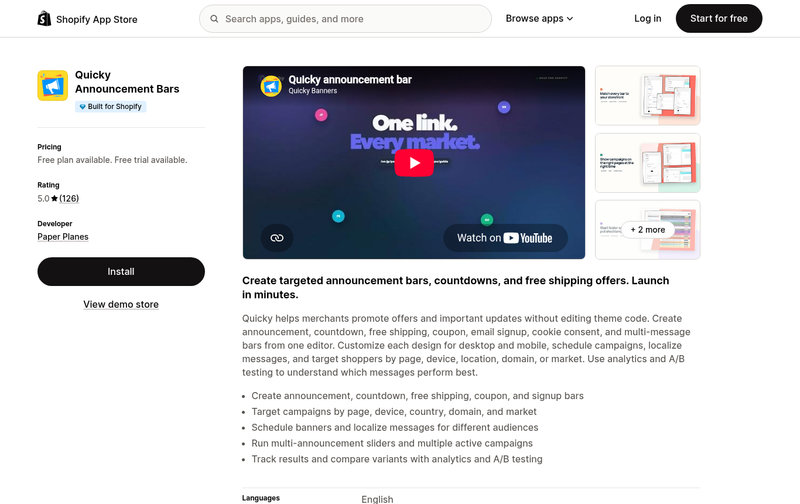
Quicky Announcement Bars on the Shopify App Store. Source: screenshot of https://apps.shopify.com/quick-banner, 28 October 2026.
4. Product page timers for deal end times
A product page timer shows when a specific deal ends, next to the price and the Add to Cart button. It suits deals with their own deadline, such as a one-day Black Friday offer while the rest of your sale runs through the weekend. Match the timer to the price change: if the discount ends at midnight, so must the timer.
Apps that do this:
-
Essential Countdown Timer Bar includes unlimited product page timers on its free plan, up to 1,000 monthly views.
-
Hextom: Countdown Timer Bar can sit below the Add To Cart button on the product page, and its free plan allows display at any desired position.
If only one range is discounted, or you are running doorbuster deals with a short window, put the countdown on that collection page and leave the rest of the store alone. The deadline then sits beside the products it applies to. Use it for timed drops across the Black Friday weekend: name the deal in the banner so shoppers know which products it covers, and give each drop its own end time.
Apps that do this:
-
Flair: live countdowns in collection page banners, with targeting by collection, on the Boost plan at $49 a month.
-
Essential Countdown Timer Bar offers countdown banners and lists “add timer with tags” as a feature of its Essential plan at $9.99 a month.
6. Free delivery and shipping cut-off countdowns
A shipping cut-off timer counts down to your daily dispatch deadline, for example “Order in the next 3 hours for dispatch today”. The deadline recurs daily, so a recurring timer fits and stays useful after Cyber Monday. Set the cut-off to what your warehouse or courier can actually meet, in your own time zone rather than the customer’s. You could pair the cut-off timer with a bar that shows shoppers how much more they need to spend for free delivery.
Apps that do this:
-
Essential Countdown Timer Bar lists “Shipping cut-off” as a timer type, with recurring timers on its Starter plan at $6.99 a month.
-
Hextom: Countdown Timer Bar also lists “Shipping cut-off”, and its Daily timer (Premium, $9.99 a month) can follow your store’s time zone.
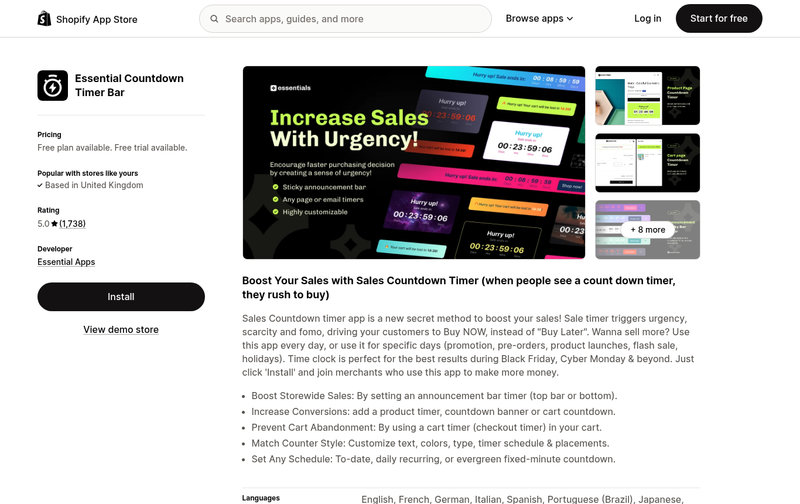
Essential Countdown Timer Bar on the Shopify App Store. Source: screenshot of https://apps.shopify.com/essential-countdown-timer, 28 October 2026.
7. Cart timers, used carefully
A cart timer counts down while items sit in the basket, and it needs more care than any other idea here. The Competition and Markets Authority (CMA) has said that timers which start again when the page is refreshed, or restart as soon as they run out, are misleading. Only use one when a real deadline sits behind it, and point it at the same fixed end time as your sitewide countdown so every shopper sees the same deadline, not a fresh few minutes each visit. For many stores, the simpler choice is to skip cart timers for Black Friday altogether.
Apps that do this:
-
Essential Countdown Timer Bar includes unlimited cart timers on its Essential plan at $9.99 a month, with a 7-day free trial.
8. Countdown timers in your Black Friday emails
An email timer shows the time left on your offer inside the email. Use it in last-chance emails on Black Friday and in Cyber Monday’s final hours. Write the end date, time and time zone in the email text too, in case the timer does not display.
Apps that do this:
-
Shopify Messaging has a built-in Countdown section: add an end date and time, and a live countdown GIF generates automatically.
-
Klaviyo has no built-in timer, so you use a third-party tool such as MailTimers; its help centre says timers may not render correctly in Apple Mail with Mail Privacy Protection on, and Outlook 2007, 2010 and 2013 show only the first frame.
-
Essential Countdown Timer Bar includes unlimited email timers on its Essential plan at $9.99 a month.
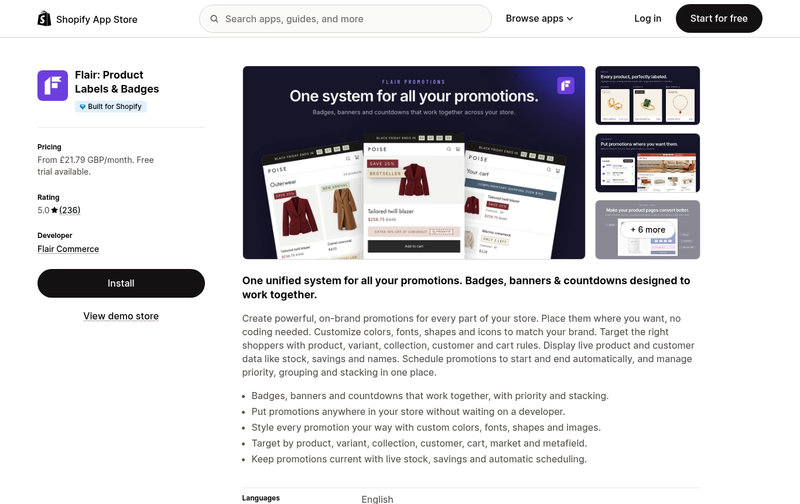
Flair: Product Labels & Badges on the Shopify App Store (viewed from a UK browser, so the price shows in GBP; charges are billed in USD). Source: screenshot of https://apps.shopify.com/flair, 28 October 2026.
9. A separate, scheduled countdown for Cyber Monday
Treat Cyber Monday on 30 November as its own event, with its own offer, start time and end time. Announce it honestly as a new promotion with different deals, not as the Black Friday clock restarting on the same offer. Schedule both campaigns in advance so the Black Friday timer ends and the Cyber Monday timer begins on time, in your store’s time zone.
Apps that do this:
-
Hextom: Countdown Timer Bar includes auto scheduling on Premium at $9.99 a month or $99 a year.
-
Quicky Announcement Bars offers campaign scheduling on its Premium plan at $9.99 a month.
-
Flair: scheduling of promotions weeks in advance, with automatic start and end based on the store’s time zone, on the Boost plan at $49 a month.
Keep your Black Friday countdown honest
The unfair commercial practices provisions of the Digital Markets, Competition and Consumers Act 2024 apply to commercial practices from 6 April 2025. Banned practices include falsely claiming an offer is available only for a limited time to prompt an immediate decision. The CMA has warned that countdowns mislead if the sale price rolls on past the end point, and in May 2026 the CMA secured a court-confirmed settlement after Emma Sleep admitted using misleading countdown timers. Set a real end time, let the offer end, do not rerun the same deal soon after, and never use a timer that resets per visit for a sale deadline. Show the end date and time (UK time) in text too. This is not legal advice: read the CMA’s guidance on unfair commercial practices.
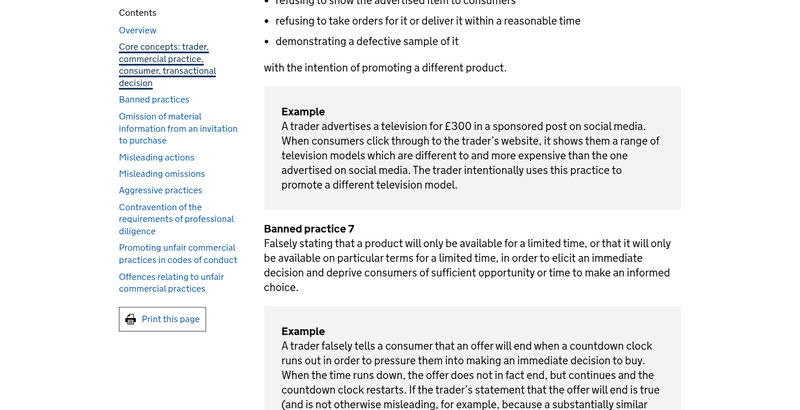
Banned practice 7 and its countdown clock example in the CMA’s guidance on unfair commercial practices (CMA207). Source: screenshot of https://www.gov.uk/government/publications/unfair-commercial-practices-cma207/unfair-commercial-practices, 28 October 2026.
Choose your timers and test them
Pick two or three of these ideas, not all nine. An announcement bar countdown, a shipping cut-off timer and a timer in your final sale email make a sensible starting set. Install the app, schedule each timer in your store’s time zone, and test on mobile and desktop, logged in and logged out, well before 27 November. Then let every deadline mean what it says, on Black Friday and on Cyber Monday.
FAQs
Are countdown timers legal in the UK?
They can be, when the deadline is real. The DMCC Act bans falsely claiming an offer is available only for a limited time to prompt an immediate decision. The CMA says a true end claim that is not otherwise misleading is “unlikely to be problematic”.
Which countdown timer apps have a free plan?
Hextom: Countdown Timer Bar, Essential Countdown Timer Bar and Quicky Announcement Bars all have free plans, though features such as scheduling often sit on paid plans. As a guide, free and lower-cost plans suit a store running a single timer, while pricier all-in-one apps suit stores running several timed promotions at once.
Can a countdown timer follow the customer’s time zone?
It depends on the app and timer type. Hextom: Countdown Timer Bar’s Daily timer can follow your time zone or the customer’s. Flair’s scheduling starts and ends promotions based on your store’s time zone, which keeps one fixed deadline for every shopper.

